
No products in the cart.
Tension Fabric Display Stand Assembly Case: Numbered Tubes, Connected Sections and a Finished Backdrop
Quick answer: This tension fabric display stand uses an aluminum tube frame with numbered connection points, elastic-cord-linked sections and push-button joints. The supplied photographs show the connection details, the assembled frame and a finished pillowcase-style backdrop. The result is a freestanding graphic wall that can serve as a presentation background within a planned exhibition layout.
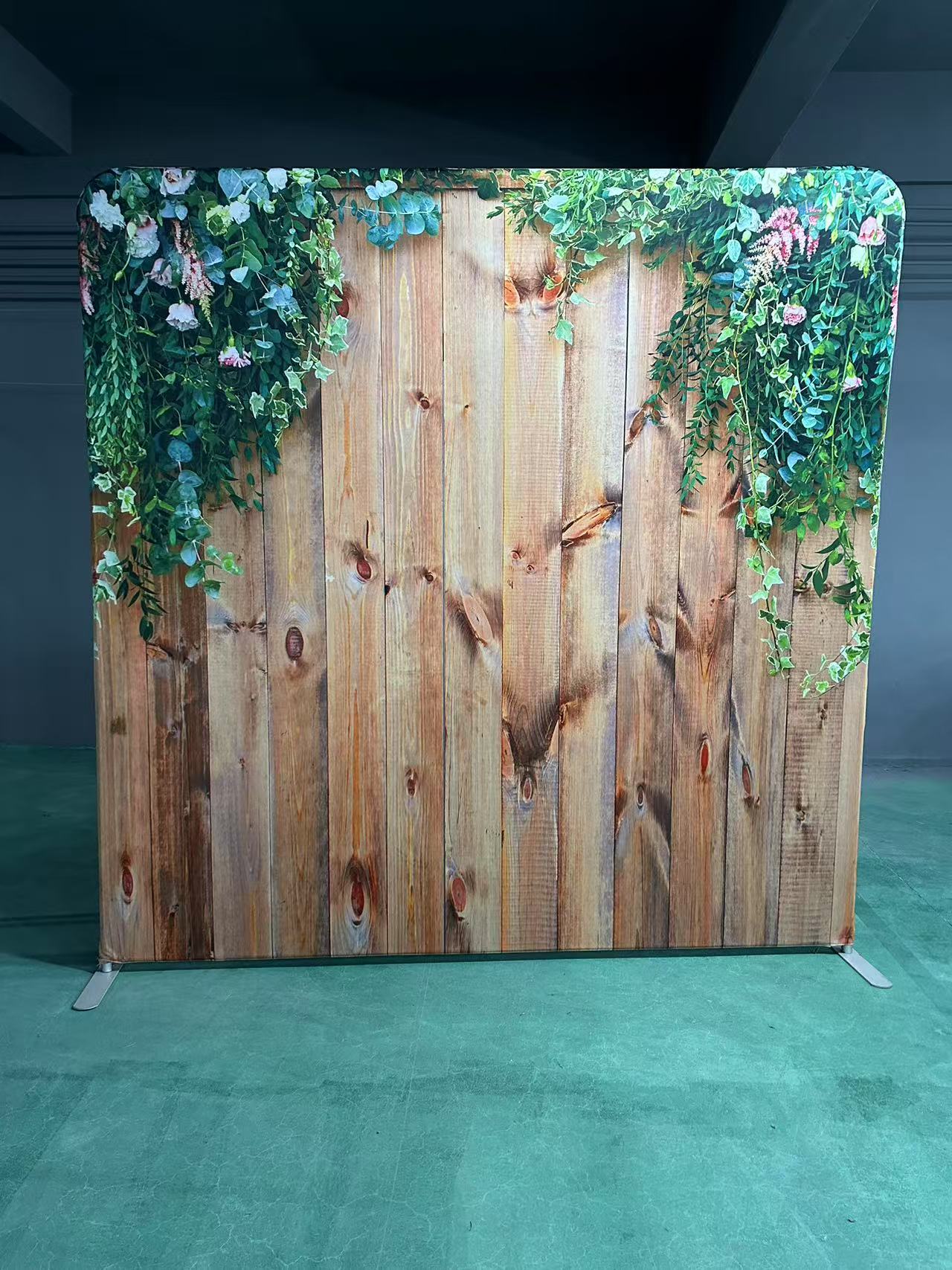
Product assembly case: a look behind the finished graphic
The finished display has rounded upper corners, a printed wood-and-foliage design and two projecting support feet. Behind that graphic is a segmented tube structure, shown separately in the installation photographs.
This case focuses on how the parts connect and how the completed format can be used at an event. The featured product is QuicklyShow’s Straight Pillow Case Tension Fabric Backdrop. These are product assembly photographs, rather than a report of a named customer’s exhibition results.
| Detail shown | Role in assembly |
|---|---|
| Matching connection numbers | Help identify and check the intended joints |
| Internal elastic cord | Keeps linked tube sections together in sequence |
| Tube insertion and locking button | Joins the sections and provides a visible connection check |
| Completed frame and feet | Establish the shape and support arrangement before graphic fitting |
| Printed fabric cover | Covers the frame to create the finished presentation surface |
Step 1: lay out the frame and check the connection codes
Start on a clean surface with the components and the instructions for the supplied model. Identify the upper frame sections, uprights, lower rail and support feet before building the display.
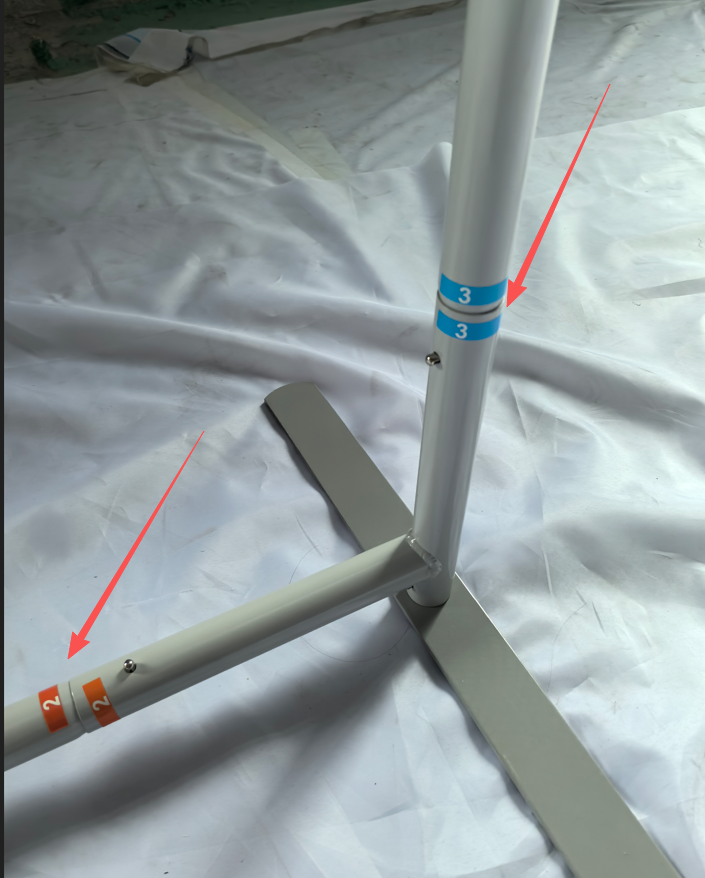
The close-up photograph shows matching “3” labels at an upright joint and matching “2” labels along a lower connection. Those codes provide a straightforward way to check which ends belong together, especially when several tube sections look similar.
Keep the labels visible while assembling the structure. If a section does not align naturally, stop and check its position rather than forcing it into another joint.
Step 2: connect the sections held by the internal elastic cord
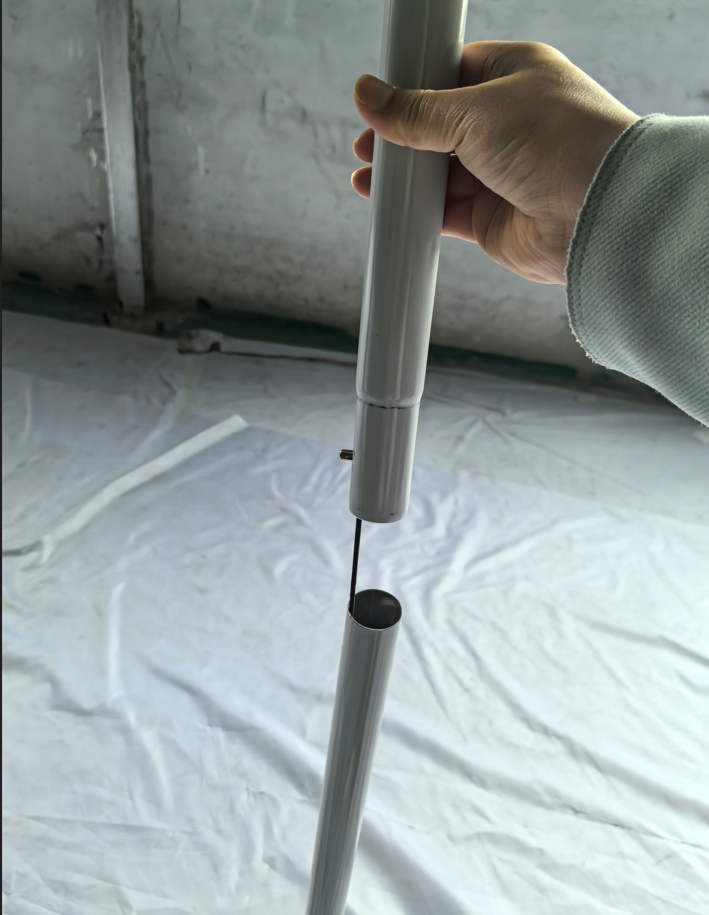
Another photograph shows an internal elastic cord running between two separated tube sections. Because the cord keeps those sections linked, the installer can follow their sequence instead of searching through loose pieces for every connection.
Bring the linked tube ends together, align the insertion end and slide it into the receiving section. The cord helps with organization; the metal joint and locking mechanism still need to engage correctly.
These two features complement each other: the cord keeps connected groups in order, while the number labels help check the other connection points. The cord does not make every tube in the kit interchangeable.
Step 3: align, insert and check the locking button
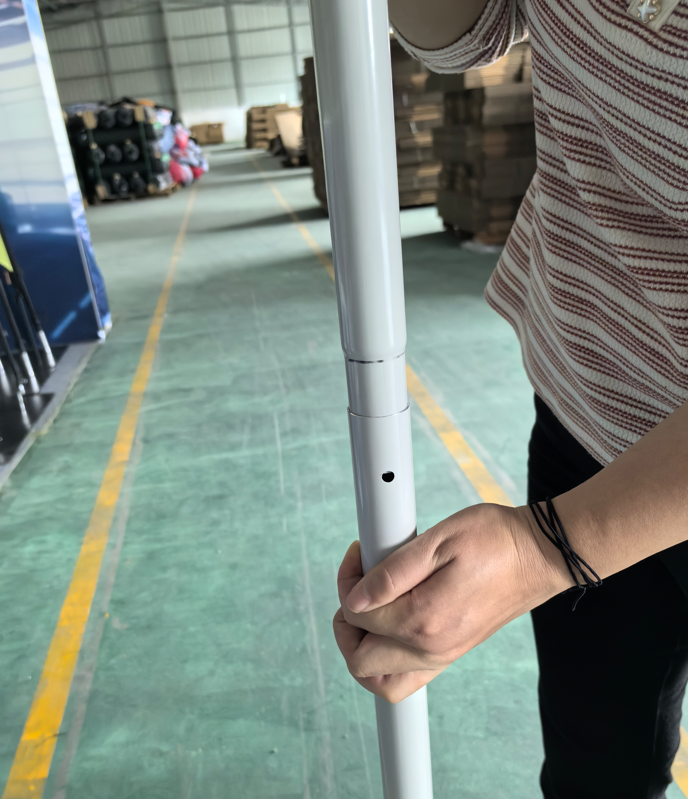
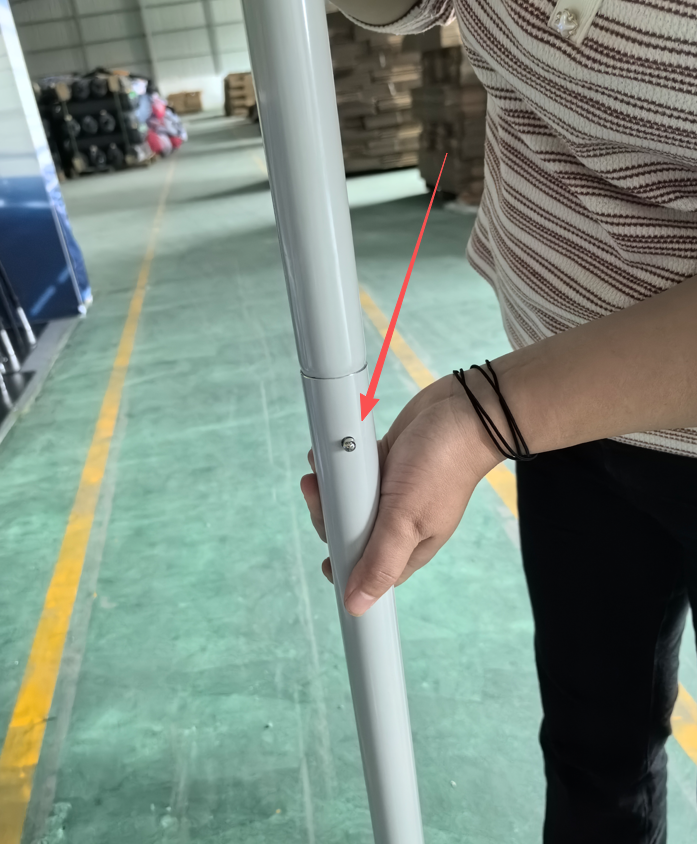
The next pair of photographs shows a tube being positioned and the completed connection. In the finished close-up, the metal button projects through the receiving hole.
Align the sections and follow the supplied push-button connection procedure. After joining them, check that the button has emerged through its hole and that the joint is fully seated. Do not rely only on the outside edges looking close together.
The pictured tube connections are made by hand. Confirm any separate requirements for the feet or accessories in the instructions for your ordered configuration.
Step 4: complete the frame and support arrangement
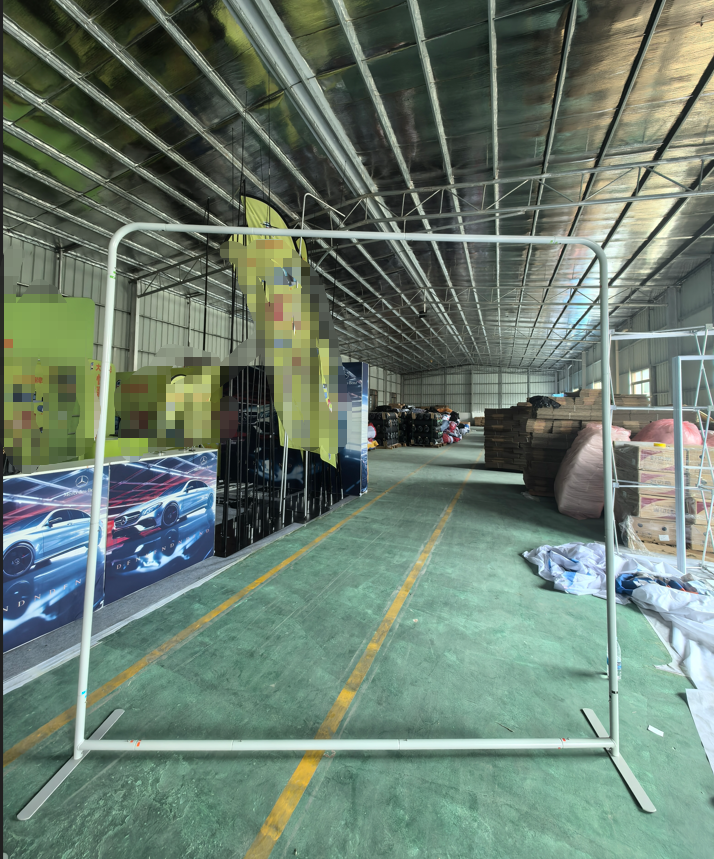
The uncovered frame photograph shows the rectangular outline, rounded top corners, lower rail and support feet. Before fitting the graphic, check the assembled shape against the instructions and inspect every joint.
Position the feet as specified and place the stand on a suitable level surface. In a booth plan, include the feet’s full projection rather than drawing only the thin graphic wall. Keep those projections inside the booked footprint and clear of the intended walking route.
Step 5: fit the pillowcase graphic and review the finished face
With the correct frame assembled, fit the matching pillowcase-style graphic according to the supplied instructions. Work evenly over the frame, align the printed face and use the cover’s specified closure. Avoid concentrating the pull on one corner.
The finished photograph shows the wood-grain and foliage artwork spanning the display face, with the tube structure concealed beneath the cover. The cover-fitting operation itself is not pictured, so a setup demonstration remains useful before a first event.
Check the final orientation, edges and overall appearance before placing furniture in front. Use the production template for new artwork so important content stays within the visible graphic area.
How can this display work at a trade show?
A background for a small exhibition booth. A straight graphic wall can carry the brand message behind a demonstration table or compact counter. Select the stand size from the actual booth plan, allowing for staff, visitors, furniture and support feet.
A product launch or demonstration area. The display can provide a visual background while the product remains on a separate table or plinth. Do not assume the tube frame is intended to carry screens, shelves or merchandise; request an approved accessory arrangement where needed.
A lifestyle or garden-themed presentation. The pictured foliage and timber design suggests a possible setting for home, garden, outdoor-living or lifestyle products. Those textures are printed artwork, not a wooden wall or installed planting. For an exhibition, a brand headline and product message could be incorporated into a suitable replacement design.
A photography or interview background. A freestanding graphic surface can help define a consistent presentation area. Test camera framing and lighting, and position the support feet outside the planned standing area without obstructing circulation.
These are application examples. The photographs do not identify a specific exhibition, customer installation or measured visitor response.
Packing for the next event
Remove the graphic using the model’s instructions and protect it from dirt and sharp hardware. Release the joints carefully, keep coded sections identifiable and fold the cord-linked groups without overstretching the cord. Pack the feet separately from the fabric where needed to prevent rubbing or marking.
Inspect the locking buttons, tube ends and cover before the next assembly. Confirm the actual packed size and weight when arranging transport; the photographs do not establish a baggage allowance or shipping specification.
Frequently asked questions
Do I need to match every tube manually? The internal elastic cord keeps some sections linked in sequence. Use the number labels to identify and check the remaining joints.
How do I know a pictured tube connection is complete? Check that the sections are seated and that the locking button projects through its matching hole, following the supplied instructions.
How long does installation take? No timed result is documented in this case. Assembly time depends on the ordered size, accessories and installer familiarity.
Can I order different printed artwork? Yes. The product is offered with custom graphics. Use the template for the selected frame size and confirm the print specification before production.
Buyer takeaway
The useful detail in this case is the connection system: codes make joints easier to check, the elastic cord keeps linked sections organized, and the locking button gives the installer a visible checkpoint. The finished fabric cover then turns the assembled frame into a graphic background for a planned event setting.
View the Straight Pillow Case Tension Fabric Backdrop product or compare the wider Fabric Display Wall collection. For a coordinated reception area, explore the portable counter collection.
To discuss a similar display, contact QuicklyShow with your available space, event date and delivery destination, or upload your artwork for review.
