
No products in the cart.
Portable Booth Assembly Case: From Folding Frame to Finished Display
Quick answer: These real photographs show a portable booth system at several stages and in different finished configurations: an expanded folding frame, a close-up of a corner connection, a standalone graphic wall, and an illuminated corner display with a separate counter. Together, they show how the support structure and printed presentation contribute to the finished display.
Case overview: what the photographs document
This portable booth assembly case focuses on the physical system and its visible installation details. The photographs provide a view behind the graphic surface as well as examples of completed presentation areas.
The finished displays use different artwork and settings. They are presented here as examples of the same product type, rather than a continuous before-and-after record of one customer project.
| Photographic record | Visible detail | Relevance to a booth buyer |
|---|---|---|
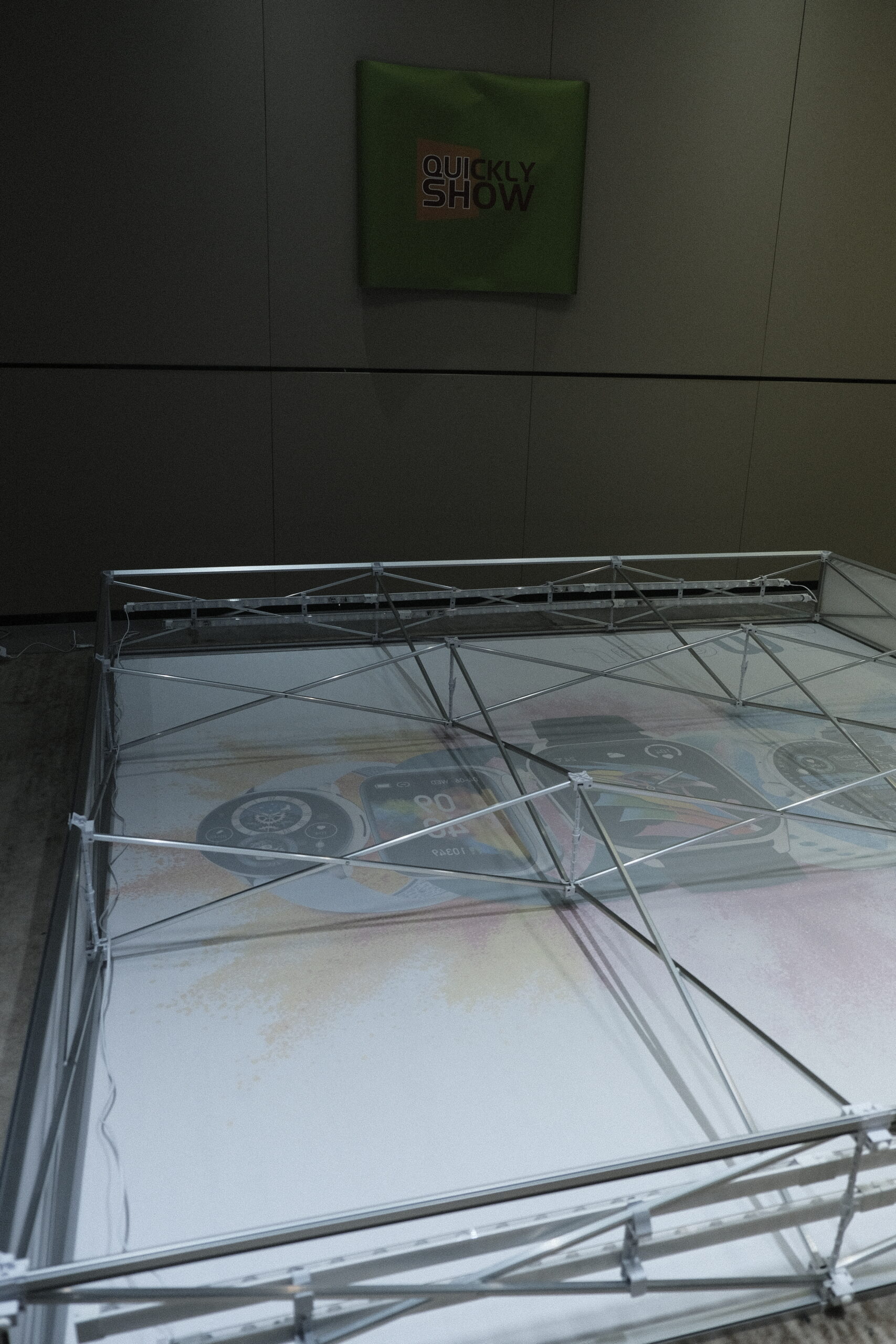
| Expanded frame | Folding lattice, perimeter profiles, and internal components | Understand the structure behind the printed face |
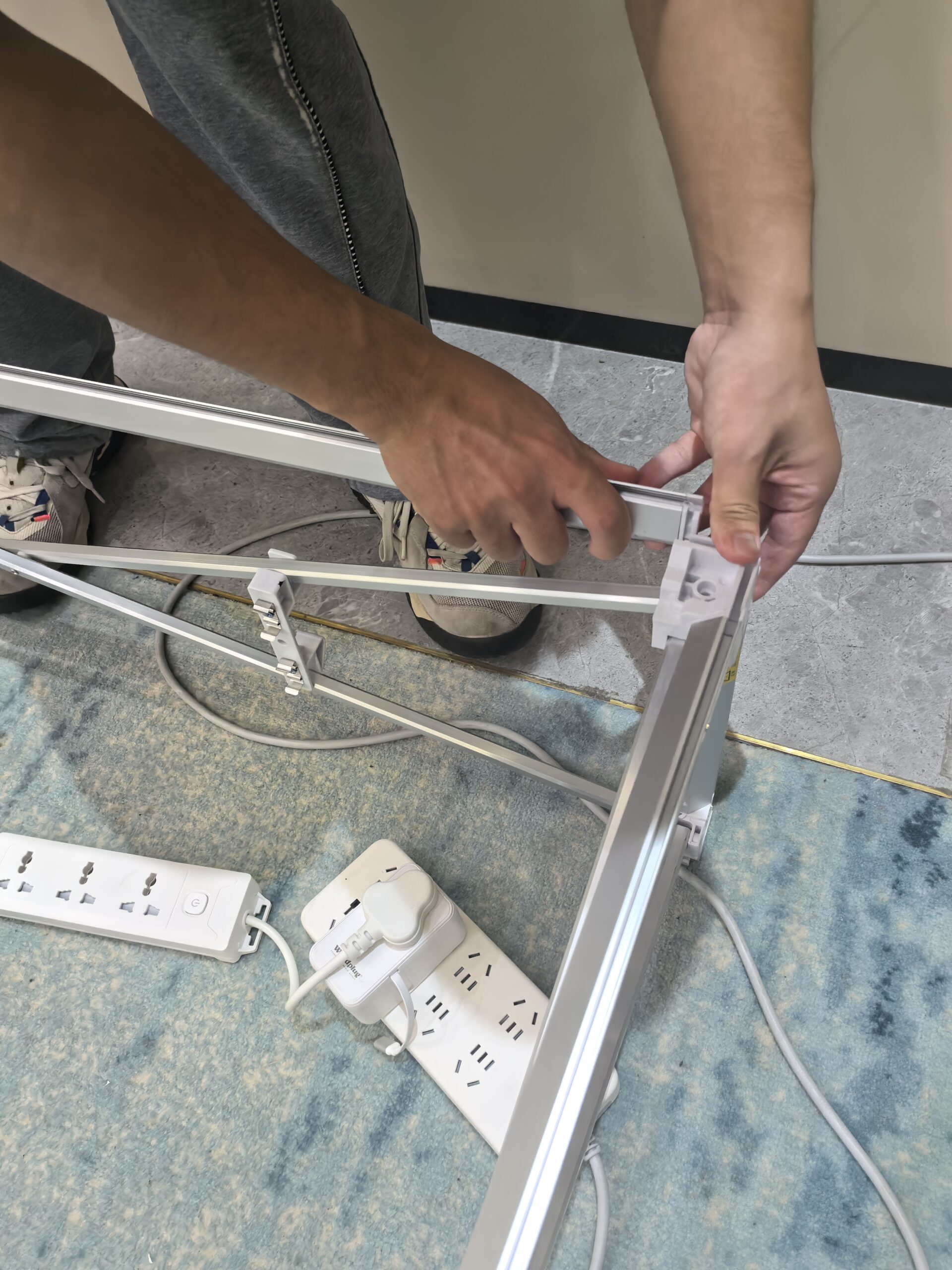
| Connection close-up | Installer positioning a profile at a corner connector | Identify a connection detail to review during an assembly demonstration |
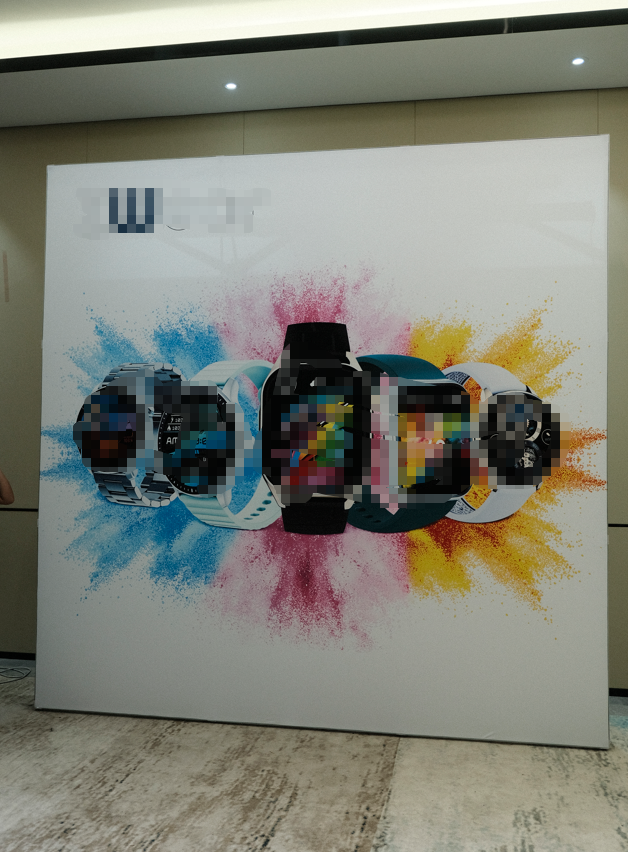
| Standalone wall | Large printed watch graphic on a freestanding display | See a focused product-presentation format |
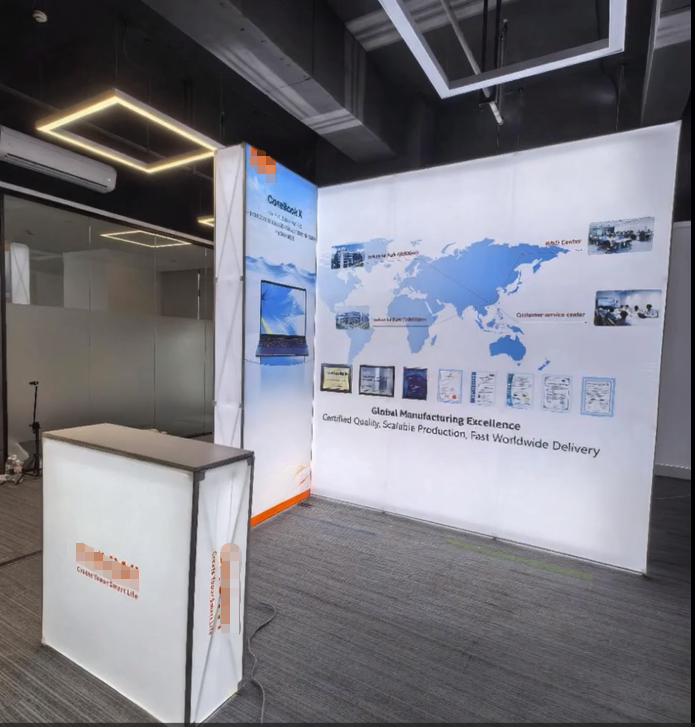
| Corner configuration | Illuminated graphics, a side return, and a separate counter | Consider how display surfaces and reception furniture work together |
1. The folding frame behind the graphic
The rear-view photograph shows the frame expanded and laid horizontally. Cross-bracing links the structure, while perimeter profiles define the outside edges. The printed image is visible beneath the open framework.
This view is useful because a finished booth photograph normally hides those components. Buyers can see that the display involves more than a printed panel: the frame, connections, graphic, and any lighting components need to work as a complete assembly.
For a pre-show check, use the instructions for the specified configuration to identify every component and confirm its position. Inspect the joints and profiles before fitting or adjusting the graphic. The photograph documents the structure; the supplied assembly instructions establish the correct operating sequence.
2. A closer look at the corner connection
The installation close-up shows a person positioning a metal profile at a white corner connector. This detail makes the connection easier to understand than a distant view of the completed wall.
During an assembly demonstration, ask how to orient the profile, recognize a fully seated connection, and release it during dismantling. Confirm the fastening method for the exact model rather than assuming that every connection operates in the same way.
The image is evidence of hands-on installation, but it does not establish a complete tool list, installation time, or staffing requirement. Those specifications should be confirmed for the ordered size and configuration.
3. Finished configuration: a standalone product graphic wall
The standalone wall photograph shows a large white graphic surface with a watch-themed composition and colorful artwork. The support framework is largely concealed from the front, allowing the product image to become the main visual feature.
For a wearable-electronics presentation, this format could provide a focused background behind a product demonstration or a discussion table. That is an application example, not a claim that the photographed display appeared at a particular exhibition.
When preparing similar artwork, check the frame template, visible graphic area, and any panel joins. Place the main message where it remains visible above the furniture and people planned for the space. Use a production proof to assess the design rather than judging only from a screen preview.
4. Finished configuration: an illuminated corner display
The other finished photograph shows an illuminated main wall with a world-map graphic, a narrower side panel, and a separate reception counter. The two display surfaces create a corner presentation area while leaving an open approach in front.
This arrangement illustrates how a portable exhibition display stand can form part of a wider booth setting. The main wall carries the company story, the side panel provides another visual surface, and the counter creates a distinct reception point.
The counter and display walls should be listed separately when requesting a quotation. A photograph showing them together does not establish that they are included in one standard package. Lighting, graphics, power accessories, and any screen support also need a defined scope for the chosen configuration.
What to confirm before ordering a similar setup
Share the booked footprint, open sides, artwork, desired lighting, and intended activities with the supplier. Request a configuration drawing and itemized component list so the quotation matches the display you expect to receive.
For transport planning, obtain the actual packed dimensions, case count, and weights. For installation, request the model-specific instructions and arrange a rehearsal before the event. Keep the required power arrangements and cable routing within the approved booth plan.
Frequently asked questions
Are these installation photographs or design renderings? These are real product and installation photographs supplied by QuicklyShow for this case article.
Do all four photographs show the same completed customer project? They show installation details and different finished configurations of the product type. No single customer project or event is identified here.
How long does assembly take? The photographs do not establish a timed installation result. Confirm the expected process and staffing for your exact configuration, then rehearse it.
Can this system be specified for a different booth layout? Ask for a supported configuration based on your footprint. The component list, graphics, support requirements, and lighting may change with the layout.
Buyer takeaway
This assembly case gives buyers two useful views: the folding structure behind the display and the finished graphic presentation in front. The connection close-up helps explain an installation detail, while the standalone and corner configurations provide practical references for discussing a booth brief.
Explore QuicklyShow’s fabric display wall collection and lightbox display range to compare presentation options. For a complete layout, browse the modular trade show booth collection.
If your layout also needs reception furniture, see the foldable product display counter assembly case for a separate product example. To discuss a configuration like those pictured here, contact QuicklyShow with your booth size, event date, delivery destination, and artwork.
